Auto-Edit
Just make it
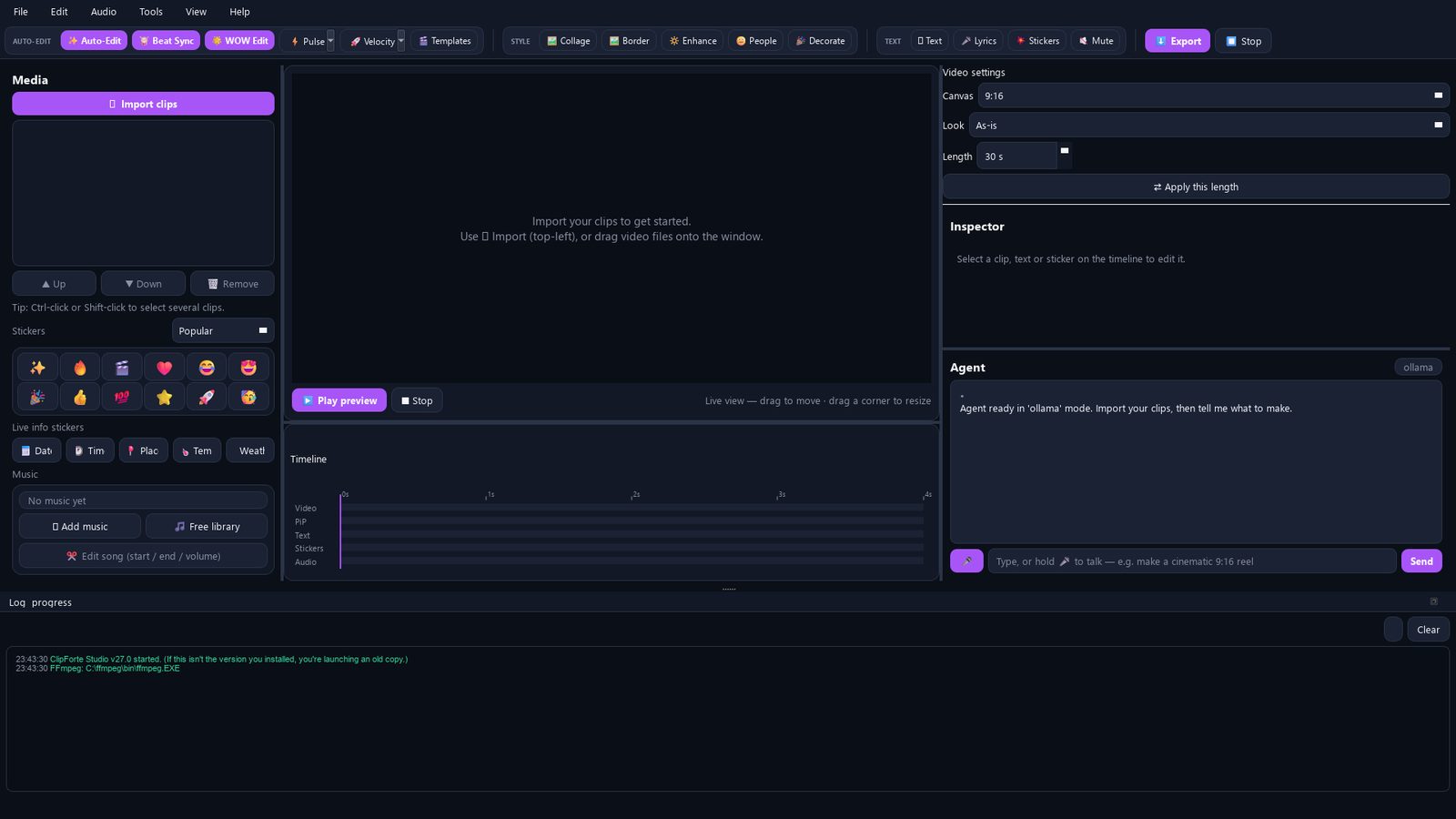
A folder of clips becomes a finished reel — sensible cuts, transitions and pacing, nothing to configure.
Even, unfussy

In development · desktop first · iOS & Android next
An agentic AI video editor for your own footage. Describe the reel in plain English — ClipForte cuts it to the song's structure, grades it, captions it, and hands you a real timeline you can still take apart by hand.
One email when it opens. Nothing else, and your address isn't shared.
Twelve seconds, one tap
Seven clips in, 24 shots out — locked to the track's bass hits, with two video walls that collapse into a hero shot and hand off to a live corner PiP, plus editable text stickers on top. Placed by the auto-edit, not by hand.
Rendered by ClipForte · abstract footage
Why it's different
Ask for a change and it moves real objects — clips, captions, stickers, overlays — that stay yours to drag, retime and restyle afterwards. You can take over mid-edit and it keeps working alongside you.
Elsewhere: a finished MP4 and a "regenerate" button.
Cut density follows the track: long holds through the verses, tightening through the build, a burst of fast cuts when the drop lands — and the big moves lock to the bass transient rather than a metronome grid.
Elsewhere: every cut on an even beat, the whole way through.
Rendering is local through FFmpeg — no upload queue, no export cap, no forced watermark. Point the agent at Groq, OpenAI, Claude or a local Ollama model, or use the built-in offline agent with no API key at all.
Elsewhere: your footage on someone's server, one vendor's model.
Auto-edit
Every mode reads the music and your footage differently — the bars under each one are its actual cut pattern. They all obey the length you set, and every one undoes in a single click.
Auto-Edit
A folder of clips becomes a finished reel — sensible cuts, transitions and pacing, nothing to configure.
Even, unfussy
Beat Sync
Finds the tempo and cuts to it, with a zoom punch landing on every hit.
Locked to the grid
WOW Edit
Slow motion through the lows, punches on the highs, a flash and zoom-out when the drop lands.
Slow · punch · slow
Pulse
Cut to the track with kinetic titles, borders and a build-up intro.
Rhythmic, decorated
Velocity
Long verse holds, a tightening build, a burst on the drop — plus video walls that collapse to fullscreen and hand off into a live corner PiP.
Verse → build → drop
Templates
Keep any edit you like as a reusable recipe and drop the next batch of footage straight into it.
Yours, repeated
Compare
Measured against the one-tap AI reel makers and the phone editors most people reach for. Nothing here is a knock on those tools — they are just built to a different brief.
← Swipe to see the comparison →
| Typical AI reel app | ClipForte | |
|---|---|---|
| Output | A finished file | An editable multi-track timeline |
| Revising | Regenerate and hope | Ask for the change, or do it by hand |
| Pacing | Even beat grid | Follows verse / build / drop, locked to bass |
| Rendering | Cloud upload | Local, through FFmpeg |
| The model | Whatever the vendor picked | Groq · OpenAI · Claude · local Ollama · offline |
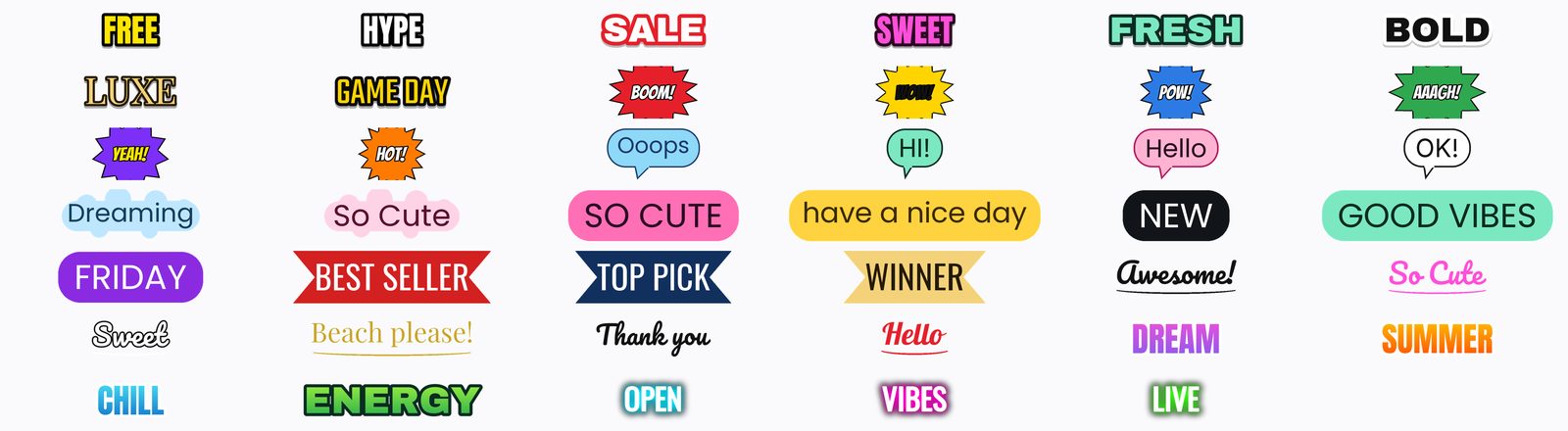
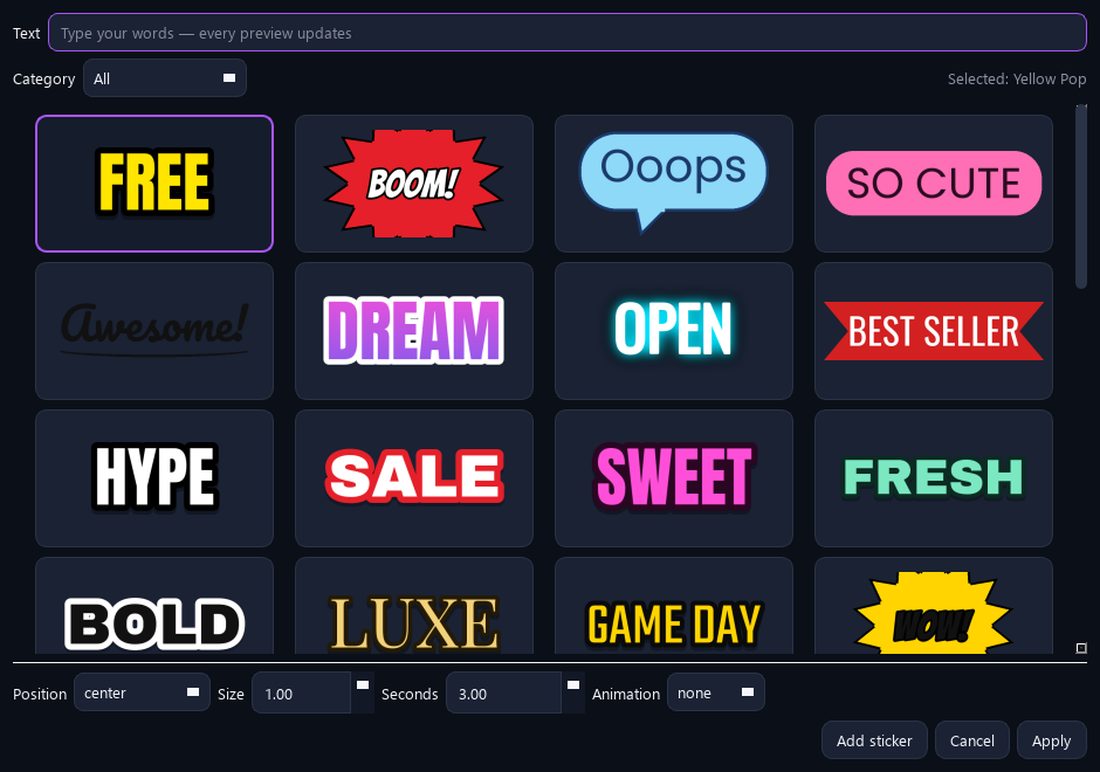
| Text | Fixed caption presets | Sticker artwork that redraws around your words |
| Scripts | Latin, mostly | Urdu & Arabic in proper Nastaliq / Naskh |
| Your footage | Uploaded to be processed | Never leaves the machine |
Text & lyrics
Text stickers are drawn from a recipe, not stamped from a picture. Pick a look, type your own words, and the artwork redraws around them — the shape grows to fit the sentence.
From the song
Transcribes the vocals into timed lines, or takes yours with
[mm:ss] stamps — and re-syncs them when the edit changes
underneath.
Script support
Urdu and Arabic render in a proper Nastaliq or Naskh face instead of a row of broken boxes.
Reveals
Fade, pop, slide, bounce, scroll — and a typewriter that genuinely types the line out rather than fading it in.
Platforms
ClipForte is being built on the desktop first, where the timeline has room to breathe and rendering can use the whole machine. iOS and Android versions are planned — the waitlist is where you'll hear about them first.
Timeline
Video, picture-in-picture, text, stickers and audio, each on its own lane.
Overlay
Composite a second video over the main edit — rounded, circular or chroma-keyed.
Colour
Real tone-mapping for HDR sources, and looks that survive every auto-edit rebuild.
Composition
Grid, mosaic, filmstrip and spiral moments that collapse into a hero shot.
Framing
Keeps a person in frame through a shot instead of a blind centre crop.
Repair
Two-pass shake removal on the clips that need it.
Early access
ClipForte is in active development. Leave your email and you'll get one message when early access opens — desktop first, then mobile.